Popups
When to use popups
Use popups for high-priority offers: launch discounts, lead magnets, limited coupons, cart reminders, and announcements that should not be missed.
Popup content options
- Standard copy for fast announcements.
- Image campaigns for product artwork.
- Slider campaigns for multiple benefits.
- HTML for custom layouts.
- Countdown header for urgency.
Setup steps
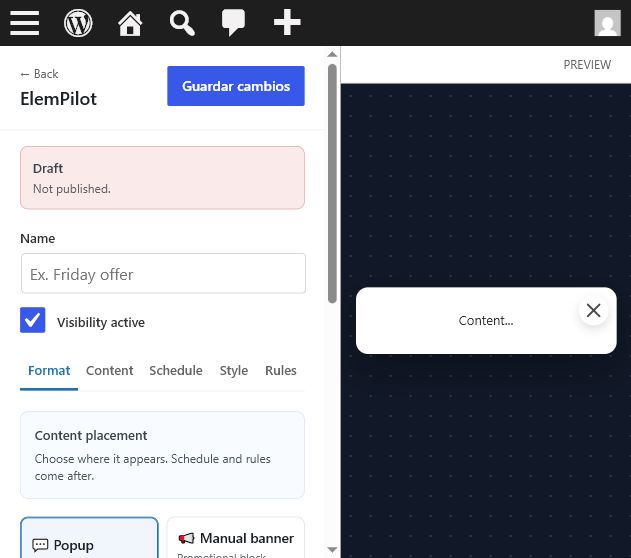
- Select Popup in the Format tab.
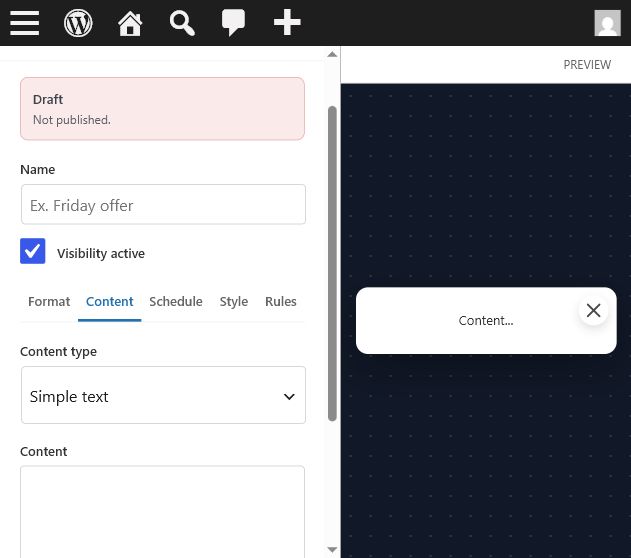
- Add the message and optional image or slider.
- Enable countdown if the offer has a deadline.
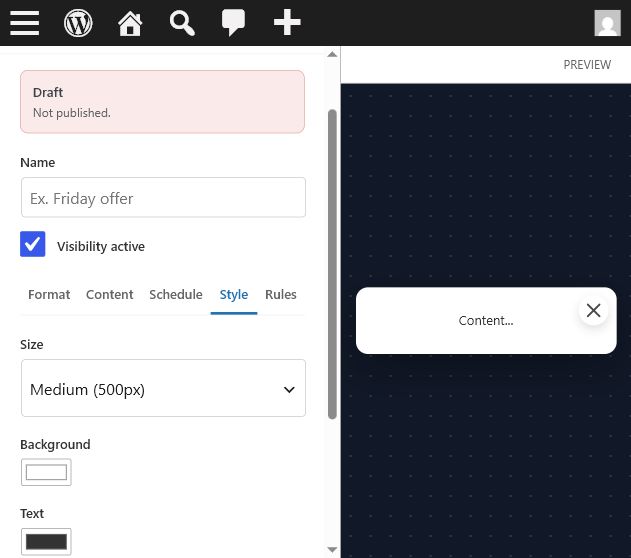
- Set delay and rules so the popup is not too aggressive.
Common questions
Can the button copy a coupon? Yes. Coupon-style actions can display or copy a configured code depending on the selected action style.
Cuándo usar popups
Usa popups para ofertas de alta prioridad: descuentos de lanzamiento, lead magnets, cupones limitados, recordatorios de carrito y anuncios que no deben pasar desapercibidos.
Opciones
- Texto estándar para anuncios rápidos.
- Imagen para campañas visuales.
- Slider para varios beneficios.
- HTML para layouts personalizados.
- Header con countdown para urgencia.
Pasos
- Selecciona Popup en Format.
- Agrega mensaje e imagen/slider si aplica.
- Activa countdown si hay fecha límite.
- Configura delay y reglas para no ser agresivo.
Pregunta común
¿El botón puede copiar un cupón? Sí. Las acciones tipo cupón pueden mostrar o copiar el código configurado.
Banners and Compact Strips
Manual banner behavior
Banners are usually placed manually with a shortcode, so you control the exact location inside content, widgets, sidebars, or page builders.
Compact strip banners
Compact banners are low-height strips designed for wide promotional artwork. Without countdown, use a full-width image. With countdown, leave room for the visual area and timer area.
Recommended shortcode
Best practices
- Place the banner near a buying decision point.
- Use short copy and strong contrast.
- Test mobile height when a countdown is enabled.
Comportamiento manual
Los banners normalmente se colocan con shortcode, para controlar el lugar exacto dentro de contenido, widgets, sidebars o builders.
Compact strips
Los banners compactos son tiras de baja altura pensadas para arte promocional ancho. Sin countdown usa imagen full-width. Con countdown deja espacio para imagen y temporizador.
Shortcode recomendado
Buenas prácticas
- Coloca el banner cerca de una decisión de compra.
- Usa copy corto y contraste fuerte.
- Prueba altura móvil cuando haya countdown.
Floating Notices
What notices are good for
Floating notices are small dismissible messages. They work well for shipping updates, sale reminders, support announcements, low-pressure coupons, or availability warnings.
Positions and sizes
Notices can be placed at the top, bottom, left, or right and can use compact, normal, or large sizes. Image and slider notices respect a fixed notice height so they remain predictable.
Troubleshooting
If a notice feels too tall on mobile, choose a smaller size, shorten the copy, or remove large image content.
Para qué sirven
Los notices flotantes son mensajes pequeños y descartables. Funcionan para avisos de envío, recordatorios de oferta, soporte, cupones suaves o alertas de disponibilidad.
Posiciones y tamaños
Pueden ubicarse arriba, abajo, izquierda o derecha y usar tamaños compact, normal o large. Notices con imagen o slider respetan altura fija para mantener estabilidad.
Solución
Si un notice queda muy alto en móvil, usa un tamaño menor, acorta el texto o quita imagen grande.
Floating Buttons and Mobile CTAs
Supported action styles
Floating CTA buttons can be configured for WhatsApp, Telegram, coupon copy, phone call, checkout URL, Instagram, Messenger, or a general link action.
When to use them
Use floating buttons when the user should be able to act at any scroll position, especially on mobile. They are ideal for chat, direct calls, coupons, or checkout shortcuts.
Setup tips
- Use one CTA per campaign to avoid crowding the screen.
- For WhatsApp and Telegram, include a pre-filled message.
- For coupon buttons, keep the code short and easy to read.
Acciones soportadas
Los botones CTA flotantes pueden configurarse para WhatsApp, Telegram, copiar cupón, llamada telefónica, checkout URL, Instagram, Messenger o enlace general.
Cuándo usarlos
Úsalos cuando el usuario debe poder actuar en cualquier punto del scroll, especialmente en móvil. Son ideales para chat, llamadas, cupones o acceso rápido al checkout.
Tips
- Usa un CTA por campaña para no saturar la pantalla.
- Para WhatsApp y Telegram, incluye mensaje prellenado.
- Para cupones, usa códigos cortos y legibles.