Free vs Pro Limits
Free plan
The free package focuses on simple popup usage and limits the number of published popup items. Advanced formats such as banners, notices, floating CTA buttons, standalone countdowns, smart templates, and Gutenberg blocks are Pro features.
Pro plan
Pro unlocks unlimited items, advanced placements, countdowns inside popups and banners, shortcode/manual formats, smart templates, and Gutenberg blocks.
What happens to blocked items
If a feature is blocked by plan, the UI may normalize the item on save and the renderer also prevents unsupported advanced formats from appearing on the front end.
Plan Free
El paquete gratuito se enfoca en uso simple de popups y limita la cantidad de items publicados. Formatos avanzados como banners, notices, CTAs flotantes, countdowns independientes, smart templates y Gutenberg son Pro.
Plan Pro
Pro desbloquea items ilimitados, placements avanzados, countdowns dentro de popups y banners, formatos manuales/shortcode, smart templates y bloques Gutenberg.
Qué pasa con items bloqueados
Si una función está bloqueada por plan, la UI puede normalizar el item al guardar y el renderer también evita mostrar formatos no soportados en el front end.
Troubleshooting: Campaign Not Showing
Campaign does not show
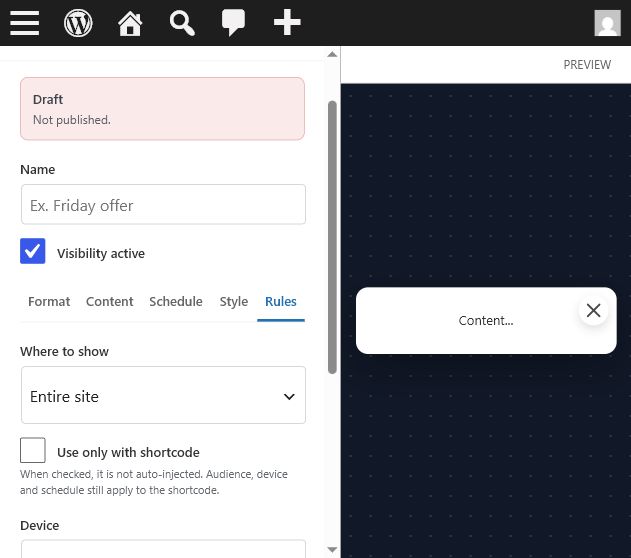
- Confirm the item is published.
- Confirm Visibility active is checked.
- Check schedule status and current site timezone.
- Check display rule, device rule, and audience rule.
- Confirm the current plan allows the selected format.
- If shortcode-only is enabled, confirm the shortcode is placed on the page.
Countdown seems wrong
Review Time to, selected weekdays, date range mode, recurring mode, and site timezone. Empty recurring end time uses 23:59 internally.
Cache issues
Automatic rendering uses AJAX to avoid cached stale markup, but after plugin updates you should purge page cache once to remove old output.
Iframe or smart template looks different
Make sure preview and live use the same smart template renderer and that the iframe CSS is current.
La campaña no aparece
- Confirma que el item esté publicado.
- Confirma que Visibility active esté marcado.
- Revisa estado de schedule y timezone del sitio.
- Revisa display rule, device rule y audience rule.
- Confirma que el plan permita el formato.
- Si shortcode-only está activo, confirma que el shortcode esté en la página.
Countdown incorrecto
Revisa Time to, días seleccionados, modo de rango de fechas, modo recurrente y timezone. Un Time to vacío en recurrente usa 23:59.
Caché
El render automático usa AJAX para evitar markup viejo cacheado, pero tras actualizar el plugin conviene purgar caché.
Iframe diferente
Asegura que preview y live usen el mismo renderer de smart template y que el CSS del iframe esté actualizado.