Countdown Deadlines and Expired StatesCountdowns, Fechas Límite y Estados Expirados
Understand how standalone and embedded countdowns calculate time.Entiende cómo se calcula el tiempo en countdowns independientes e integrados.
Where countdowns appear
Countdowns can be standalone Countdown items, a header added to Popup or Banner, part of a compatible Visual template, or a Gutenberg Countdown block. The first three use the item Schedule; Gutenberg has its own deadline and expiration action.
Example: popup or banner countdown
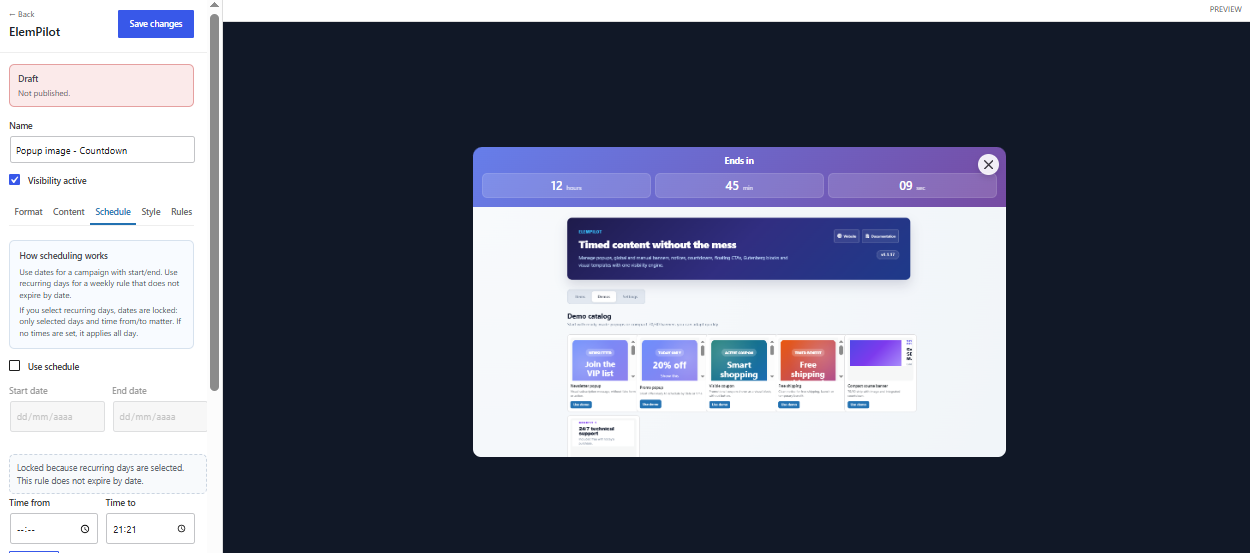
Select Popup or Manual banner, enable Add countdown in Format, choose a style, and set the target in Schedule. Image, slider, or HTML remains below or beside the timer according to the format.
How the deadline is calculated
- Without recurring days, it uses End date + Time to. If End date is empty, the item countdown has no deadline.
- With End date and no Time to, it ends at 23:59:59 on End date.
- With recurring days, it uses Time to, or 23:59 when Time to is empty.
- A sequence such as Monday–Friday counts down to the end of the current or next continuous run.
- Separated days count down to the current or next selected day.
Example: Gutenberg countdown
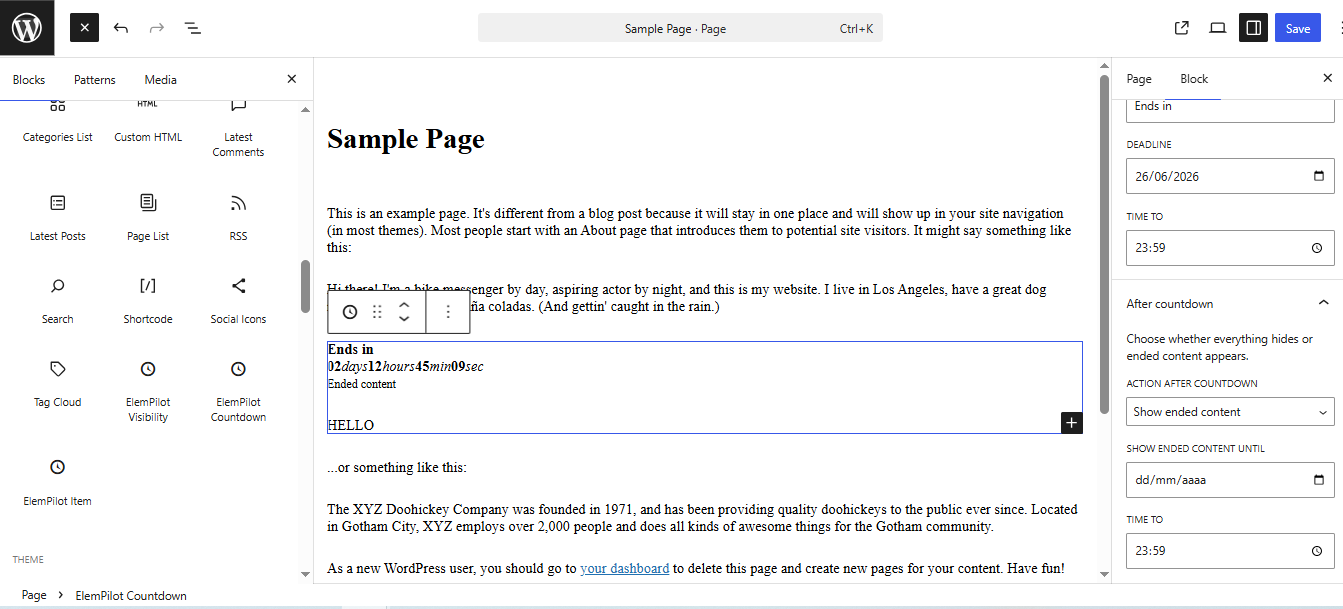
Insert ElemPilot Countdown Block when the timer belongs only to one post section. The block can hide content, reveal alternate content, or show its configured result at zero without depending on a global item.
After expiration
An item whose End date has passed becomes Expired and stops rendering. Gutenberg runs the selected expiration action. A weekly recurring rule does not permanently expire; it calculates the next recurring window.
Troubleshooting
Check the WordPress timezone, End date, Time to, recurring weekdays, and whether the timer belongs to an item or Gutenberg. An item countdown without End date or recurrence has no valid target.
Dónde aparecen los countdowns
Pueden ser items Countdown independientes, una cabecera añadida a Popup o Banner, parte de una Visual template compatible o un bloque Countdown de Gutenberg. Los tres primeros usan el Schedule del item; el bloque Gutenberg tiene su propia fecha y acción al expirar.
Ejemplo: popup o banner con countdown
Selecciona Popup o Manual banner, activa Add countdown en Format, elige el estilo y configura el objetivo en Schedule. La imagen, slider o HTML seguirá debajo o junto al contador según el formato.
Cómo calcula el deadline
- Sin días recurrentes, usa End date + Time to. Si End date está vacío, no existe un deadline para el countdown.
- Con End date y Time to vacío, termina a las 23:59:59 de End date.
- Con días recurrentes, usa Time to; si está vacío, usa 23:59.
- Una secuencia como lunes a viernes cuenta hasta el final del bloque continuo actual o siguiente.
- Días separados buscan el día seleccionado actual o siguiente.
Ejemplo: bloque Gutenberg
Inserta ElemPilot Countdown Block cuando el temporizador pertenece solo a una sección del post. El bloque puede ocultar contenido, revelar contenido o cambiar el resultado al llegar a cero sin depender del item global.
Cuando expira
Un item cuyo End date ya pasó queda Expired y deja de renderizar. El bloque Gutenberg aplica la acción de expiración elegida. Una regla semanal no expira definitivamente: calcula el próximo bloque recurrente.
Solución de problemas
Comprueba la zona horaria de WordPress, End date, Time to, días recurrentes y si el contador pertenece a un item o a Gutenberg. Un countdown de item sin End date y sin recurrencia no tiene objetivo válido.