Shortcodes and Manual PlacementShortcodes y Colocación Manual
Place items exactly where you want them with shortcode-only mode.Coloca items exactamente donde quieras usando shortcode-only mode.
Main shortcode
The item ID is shown in the dashboard and items list.
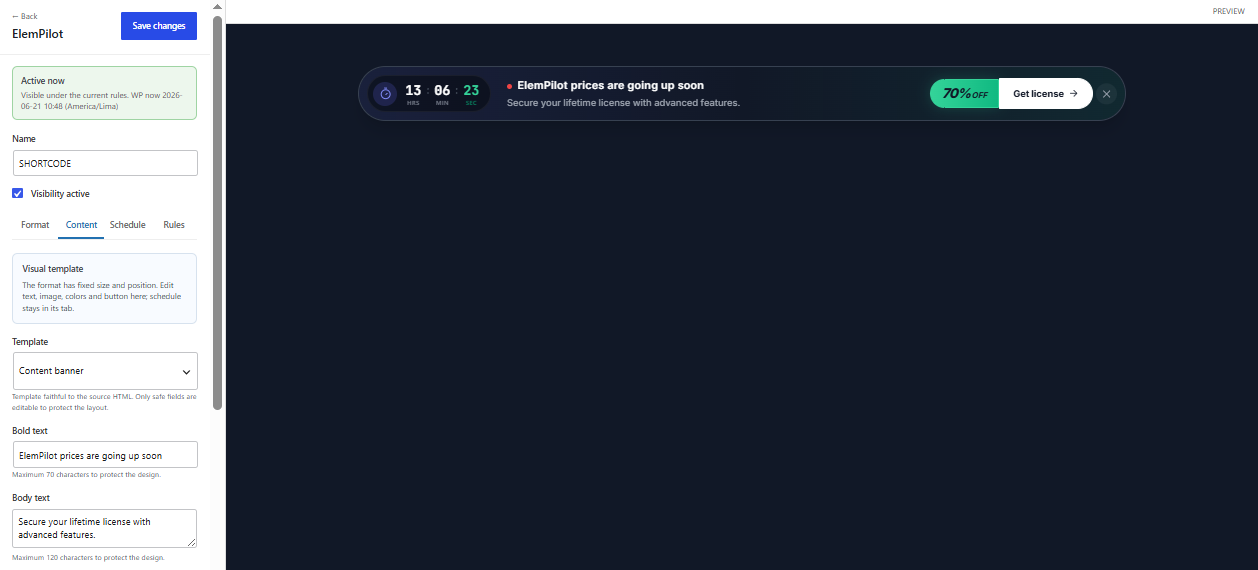
Paste it into Gutenberg, the classic editor, widgets, Elementor, or any builder that processes WordPress shortcodes.
Published result
The rendered item retains its own format, content, Schedule, device, audience, and active state.
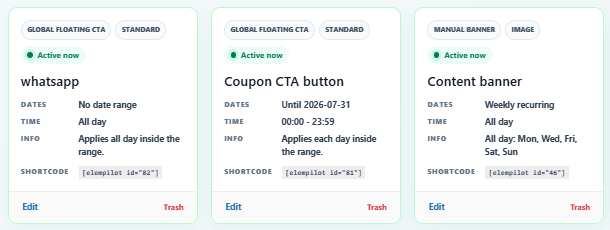
Shortcode-only mode
When Use only with shortcode is enabled, the item is not automatically inserted by global rules. Schedule, Device, and Audience still apply when the shortcode renders.
Common issue
If an overlay-style shortcode appears trapped inside a post container, verify the plugin version and placement type. Overlay items queue into the footer so they can float over the full site.
Shortcodes inside campaign content
To place forms or another plugin shortcode inside a Popup or Banner, read Third-Party Shortcodes in Campaigns.
Shortcode principal
El ID aparece en dashboard y lista de items.
Pega el shortcode en Gutenberg, editor clásico, widgets, Elementor o cualquier builder que procese shortcodes de WordPress.
Resultado publicado
El item renderizado conserva su propio formato, contenido, Schedule, dispositivo, audiencia y estado activo.
Modo shortcode-only
Cuando Use only with shortcode está activo, el item no se inserta automáticamente por reglas globales. Schedule, Device y Audience siguen aplicando cuando el shortcode se renderiza.
Problema común
Si un overlay queda atrapado dentro del contenedor de un post, revisa versión del plugin y tipo de placement. Los overlays deben encolarse en footer para flotar sobre todo el sitio.
Shortcodes dentro del contenido
Para insertar formularios u otros shortcodes de plugins dentro de Popup o Banner, consulta la guía Shortcodes de terceros en campañas.