Banners and Compact StripsBanners y Tiras Compactas
Use shortcode banners inside posts, pages, widgets, and builders.Usa banners por shortcode dentro de posts, páginas, widgets y builders.
Manual placement
Manual banner is not auto-inserted. Save the item and place [elempilot id="123"] exactly where it belongs: post, page, widget, sidebar, or page builder. Schedule, device, audience, and active-state checks still apply to the shortcode.
Example: full banner
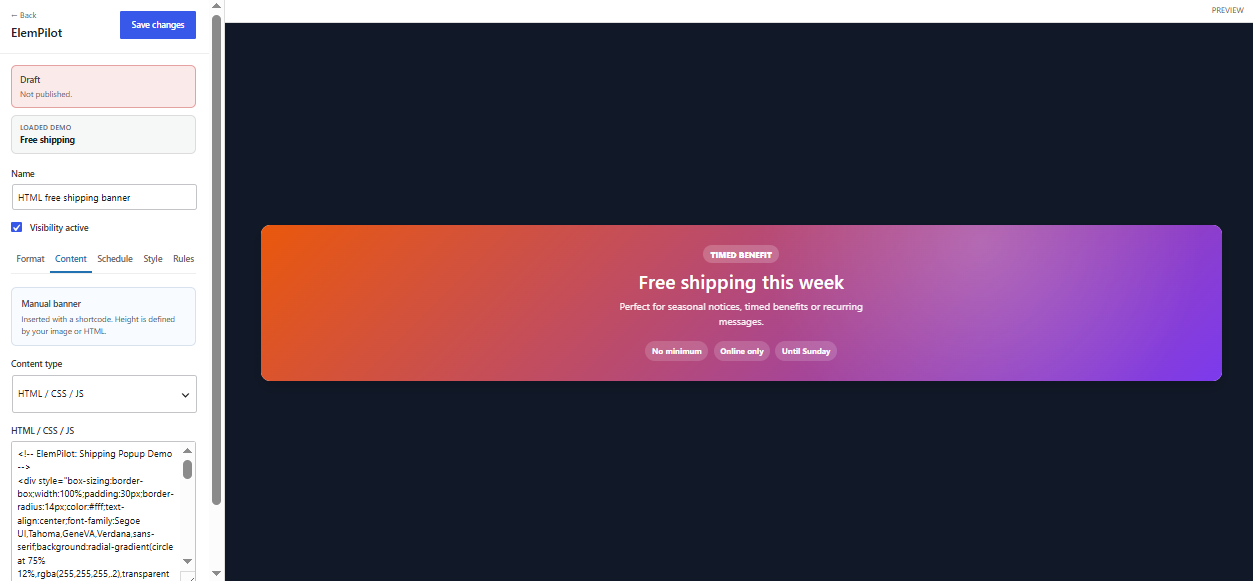
Use the standard banner when you want to preserve the full image and its proportional height. The builder recommends artwork 1200–1600 px wide. This works well for detailed promotion art or copy already embedded in the image.
Example: compact banner
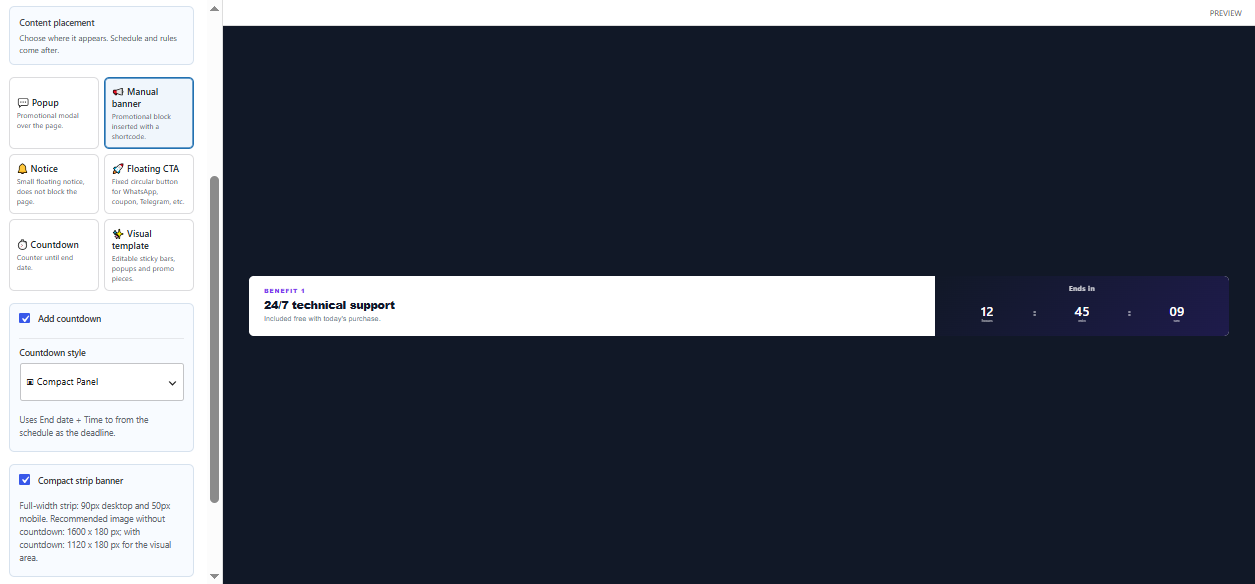
Compact banner creates a 90 px strip on desktop and a 50 px strip on mobile. Without a countdown, artwork around 1600 × 180 px can fill the width. With a countdown, reserve the visual region with artwork around 1120 × 180 px while the timer uses the remaining area. A compact slider accepts up to two images.
Adding a countdown
Enable Add countdown in Format and define End date/Time to or recurring weekdays in Schedule. The banner never invents a deadline from its image or content.
Best practices
- Place it close to a buying decision.
- Avoid small embedded text in compact artwork.
- Check the mobile crop and contrast beside the timer.
- If it does not appear, confirm the shortcode exists and every item rule passes.
Comportamiento manual
Manual banner no se inserta automáticamente. Guarda el item y coloca [elempilot id="123"] exactamente donde debe aparecer: post, página, widget, sidebar o builder. El horario, dispositivo, audiencia y estado activo siguen aplicando al shortcode.
Ejemplo: banner completo
Usa el banner normal para conservar toda la imagen y su proporción. El builder recomienda arte de 1200–1600 px de ancho. Es apropiado para una promoción con más detalle visual o texto integrado en la imagen.
Ejemplo: banner compacto
Compact banner crea una tira de 90 px en escritorio y 50 px en móvil. Sin countdown, una imagen aproximada de 1600 × 180 px ocupa todo el ancho. Con countdown, reserva la zona visual con una imagen aproximada de 1120 × 180 px; el contador ocupa la región restante. Slider compacto admite hasta dos imágenes.
Con countdown
Activa Add countdown en Format y define End date/Time to o días recurrentes en Schedule. El banner no inventa una fecha límite desde la imagen o el contenido.
Buenas prácticas
- Colócalo cerca de una decisión de compra.
- No incluyas texto pequeño dentro del arte compacto.
- Comprueba el recorte móvil y el contraste junto al contador.
- Si no aparece, revisa que el shortcode esté presente y que el item pase todas sus reglas.
BANNER SLIDER


FULL BANNER
Free shipping this week
Perfect for seasonal notices, timed benefits or recurring messages.
70/30 banner